Deliver and get rewarded
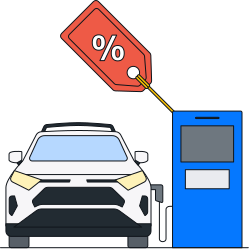
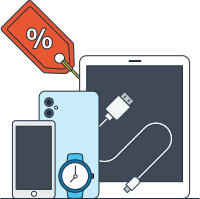
Earn points to unlock rewards like Preferred Scheduling, plus discounts on fuel, popular technology brands and more.

Amazon Flex Rewards
Amazon Flex Rewards is designed to help you earn more, save more, and enjoy more with every delivery.
Flexible scheduling
Take control of your time with features like Preferred Scheduling that make it easier to plan your day and maximize your earnings.

Earnings boosts
Unlock financial benefits like discounts on fuel to help you keep more of what you earn.

Lifestyle perks
Enjoy discounts and perks that make life on and off the road more rewarding.
Tap “Rewards Details” in Your Dashboard in the Amazon Flex app to see more.
Rewards and discounts by level
As you move from level 1 through level 4, unlock perks like Preferred Scheduling and enjoy greater savings on fuel, and more.
Level 1 (1-1199 points) | Level 2 (1200-4499 points) | Level 3 (4500-8499 points) | Level 4 (8500+ points) | |||||
|---|---|---|---|---|---|---|---|---|
Preferred Scheduling Set your delivery preferences with more time to choose and schedule deliveries at higher levels. | Preferred station, day/time | Preferred station, day/time | Preferred station, day/time | Preferred station, day/time | ||||
- | 15 min to schedule blocks | 20 min to schedule blocks | 30 min to schedule blocks | |||||
Shell Fuel Discounts | ||||||||
 Shell Fuel Rewards | 20% off on fuel2 | 20% off on fuel + $20 Shell e-Voucher3 | 20% off on fuel + $50 Shell e-Voucher3 | 20% off on fuel + $100 Shell e-Voucher3 | ||||
Other discounts Apple, Swensen’s, Miniso, Dunkin’ Donuts and more | ||||||||
Save money with featured discounts on popular tech brands, language lessons and more. |  | | | | ||||
What happens after you download the app
Create an account with the required info, then follow the onboarding steps. Once you’re set up, you’ll be ready to schedule your first delivery block and start earning.
How do I earn points?
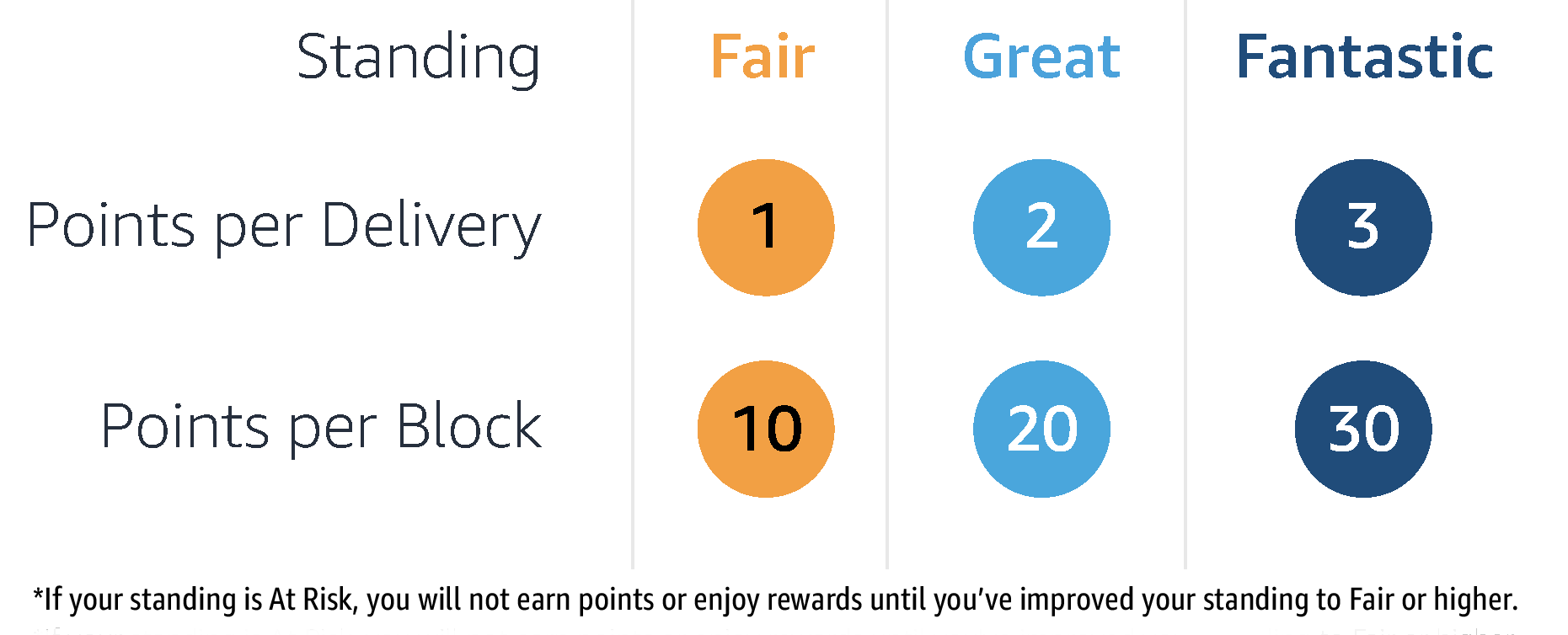
With Amazon Flex Rewards, you earn points by completing blocks and making deliveries. When you schedule an offer in the Amazon Flex app you’re scheduling a block—a specified amount of time you will make deliveries with Amazon Flex. You will earn a minimum of 10 points for each block you complete. You will also earn a minimum of 1 point for each package you deliver during that block. Your standing will determine how many points you earn for each block and delivery. You will earn points with a standing of Fair, Great, or Fantastic. If your standing is Poor, you will not earn points or enjoy rewards until you've improved your standing to Fair or higher.
How Points Are Calculated:
What is the earning period?
The Amazon Flex Rewards program has cyclical 3-month earning periods. The points you earn during an earning period determine the rewards levels you unlock and the rewards you enjoy. When you earn enough points to unlock a new rewards level, you gain access to the rewards offered in that level for the remainder of the current earning period as well as throughout the following 3-month earning period. At the end of each earning period, your point balance resets to zero and a new earning period begins. So, keep delivering to maintain the rewards you unlocked. The earning periods are: January-March, April-June, July-September, and October-December. You can track your progress towards higher rewards levels by going to the Amazon Flex App > Menu > Your Dashboard > Rewards Details.
How many points do I need to unlock Rewards levels?
You unlock rewards levels by earning points. You earn points by making deliveries and completing blocks. To unlock rewards level 1, you will need to earn 1 point. To unlock rewards level 2, you will need to earn 1,200 points. To unlock rewards level 3, you will need to earn 4,500 points. To unlock rewards level 4, you will need to earn 8,500 points. You will have a 3-month earning period to earn points. Your points will reset at the end of every 3-month period, and you will need to earn points in the next earning period to keep your rewards level. Learn more about the rewards available at each rewards level by going to the Amazon Flex App > Menu > Your Dashboard > Rewards Details > Level Details.
What is Preferred Scheduling?
With Preferred Scheduling, you can enjoy special reserved offers targeted to your preferences. And, you’ll have more time to accept them! These special reserved offers are called Rewards reserved offers. They will appear in addition to the offers you already see on the Offers page and will indicate that they are linked to your rewards level. The number of Rewards reserved offers that you’ll see is based on the availability of offers that match one or more of your Preferred Scheduling preferences. You will be able to set these preferences when you unlock rewards level 1. As you level up, you are more likely to see a higher number of Rewards reserved offers.
The extended time you’ll have to accept Rewards reserved offers will be based on your rewards level.
Rewards level 2: 15 minutes
Rewards level 3: 20 minutes
Rewards level 4: 30 minutes
Please note that Preferred Scheduling preferences and additional time to schedule apply only to Rewards reserved offers. All other non-Rewards reserved offers are subject to standard confirmation time limits and availability.
What is Onsi and how do I access my rewards?
We have partnered with Onsi to provide delivery partners with access to deals and discounts. To access the rewards available through Onsi, you will need to set up an Onsi account and download the Onsi app.
Go to Amazon Flex App > Menu > Your Dashboard > Rewards Details > click ‘Access deals and discounts through the Onsi app’.
This will open the Onsi website and will give instructions on how to sign up and link your Onsi account to your Amazon Flex Rewards status. You may need to sign up to additional terms and conditions provided by Onsi in order to create an Onsi account. If you have an existing Onsi account, follow the directions to link your existing Onsi account to your Amazon Flex Rewards status and log in to see your rewards.
How do I maintain access to my Rewards?
To maintain access to your rewards, maintain a standing of Fantastic, Great or Fair and continue to make deliveries. If your standing decreases to At Risk, your access to rewards will be paused until you improve your standing. However, you won't lose rewards level and points you've already enrolled in or purchased. For more information about access to rewards, please refer to the Amazon Flex Rewards Program Terms and Conditions.
Learn more about your standing by going to the Amazon Flex App > Menu > Your Dashboard > Standing Details.
What is a standing?
The Standings feature in the Amazon Flex app provides information about your recent delivery history and how you can continuously improve the customer experience while delivering with Amazon Flex. There are four Standings: Fantastic, Great, Fair, and At Risk. The majority of delivery partners have a Great or Fantastic standing, which means they are providing excellent service to our customers.
Download the Amazon Flex app
Create an account to set your schedule, see your earnings upfront, and start delivering with confidence.
1. To access discounts, you must sign up and create an account on the Onsi app. Discounts offered are subject to availability, qualifying terms of applicable retailers and merchants, and may change from time to time. Membership is with Onsi, not Amazon, and is subject to the Onsi terms and conditions that can be found in the Onsi app.
2. 20% off is available on Shell Fuelsave Diesel, Shell Fuelsave 95, 98 and V-Power. Each card has a weekly credit limit of $800 and a monthly credit limit of $1,500. Shell fuel cards are subject to terms and conditions here.
3. To be eligible for the Shell E-Voucher, you must register for an Onsi membership by 11:59pm SGT on the last calendar day of the Earning Period. You are only eligible to receive one Shell E-Voucher per Earning Period. The value will reflect the highest Rewards Level unlocked in the Earning Period (Rewards Level 2 at $20, Rewards Level 3 at $50, and Rewards Level 4 at $100). Shell E-Vouchers will be distributed by Onsi and shared within 10 working days of the end of the Earning Period.